Know what your car needs before it’s due.

CarMind keeps every PMS, repair and expense for your car, EV or motorcycle in one place, and reminds you in time, by date or kilometers, whichever comes first.

Free for one vehicle · No account needed · Works offline

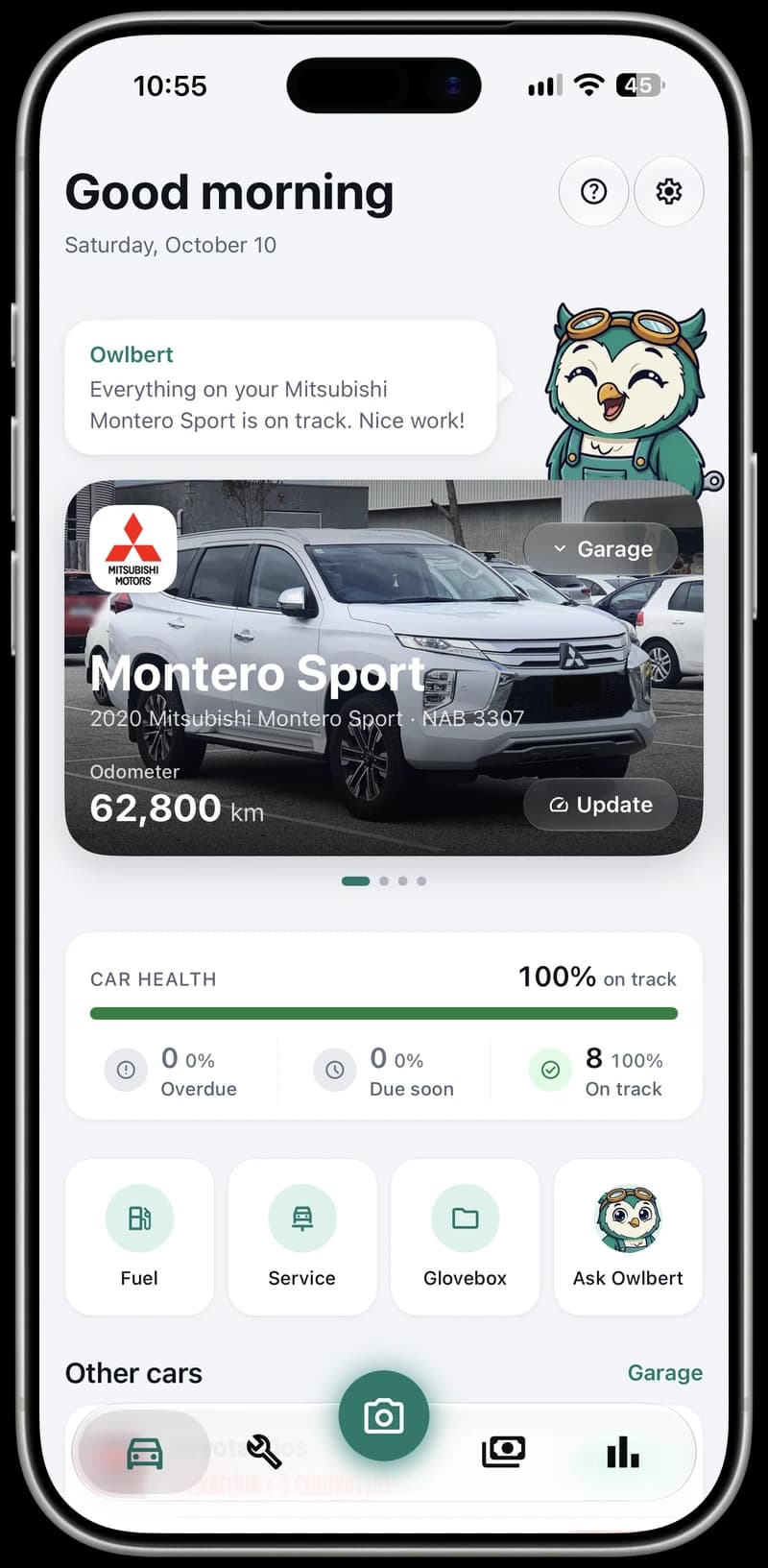
The same Home screen in dark mode.CarMind Home on an iPhone 17 Pro Max: Owlbert says everything on the 2020 Mitsubishi Montero Sport is on track, at 62,800 km with car health 100% on track, and quick actions for fuel, service, Glovebox and Ask Owlbert.
Odometer
62,800 km
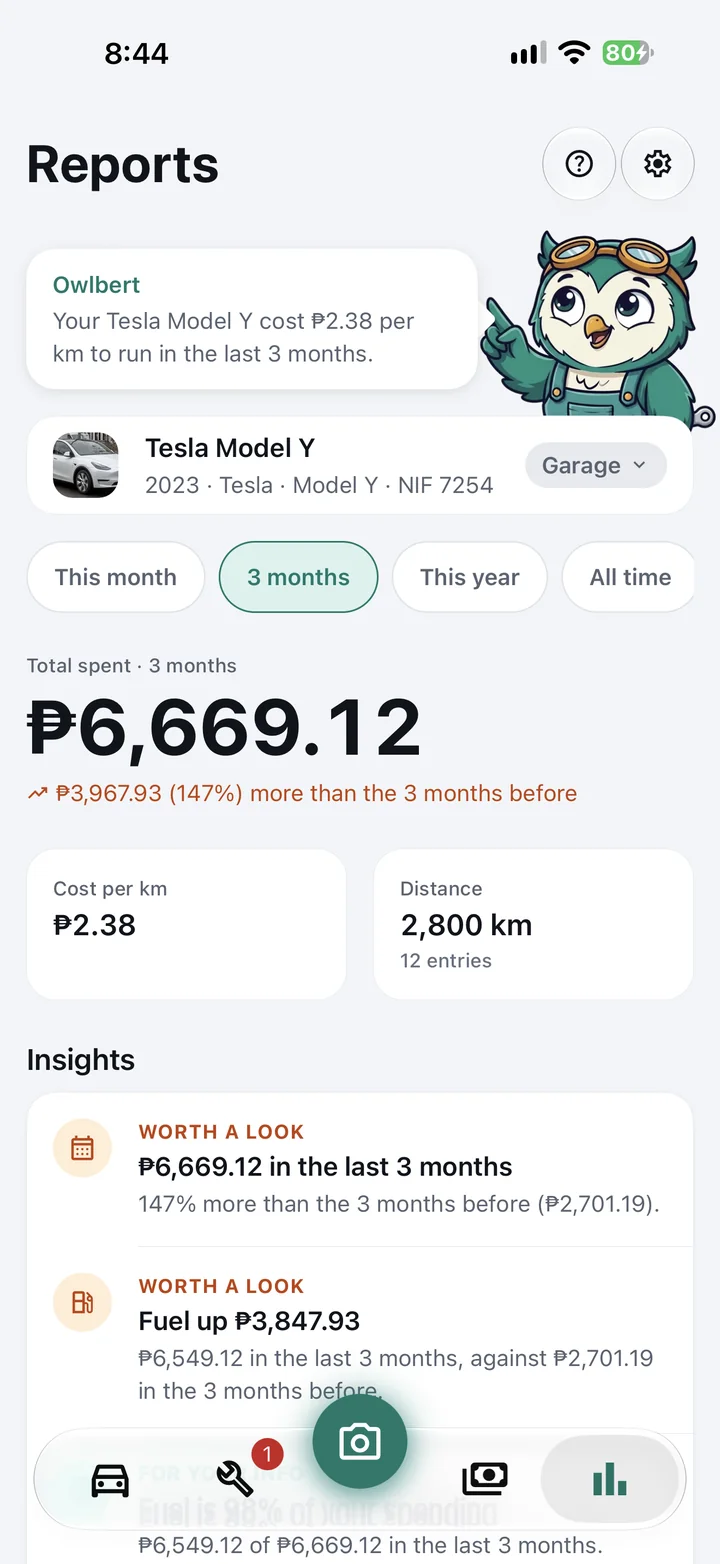
Spent in 3 months
₱6,669 12 entries
Cost per km
₱2.38 fuel, service and more

The next PMS date slips your mind. The receipts go missing. The spending spreadsheet never gets updated. CarMind keeps your car’s whole story in one place and tells you what’s due before it’s due.

Built by car enthusiasts who want their cars in top shape, for owners who feel the same. Ready for 80+ car brands and nearly 30 motorcycle brands, with over 900 models.

Owlbert, CarMind’s owl mechanic, waving hello in teal overalls and goggles

Meet Your AI mechanic

Say hi to Owlbert.

Owlbert is CarMind’s owl mechanic. He keeps an eye on your car, tells you on Home what needs doing next, and answers questions about your own car, from a strange noise to a mechanic’s quote.

My brakes squeak when I stop. Should I worry?

Often that’s the wear indicator saying the pads are thin. Your Montero Sport’s brake pads are 300 km overdue, so have them checked this week.

Ask Owlbert 10 questions a day for free. Pro has no daily limit.

01 Maintenance and PMS

Every service, on time, without the guesswork.

Start from suggested items or set up your dealer’s PMS package: name it, choose the interval, and tick the jobs it covers. Each item keeps its own interval in months and kilometers, and CarMind estimates your odometer between readings, so you can see what’s next whether you drive every day or once a week.

  • OKPlenty of time or distance left.
  • Due soonComing up. Plan your next shop visit.
  • DueTime to get it done.
  • OverduePast its interval. Don’t put it off.
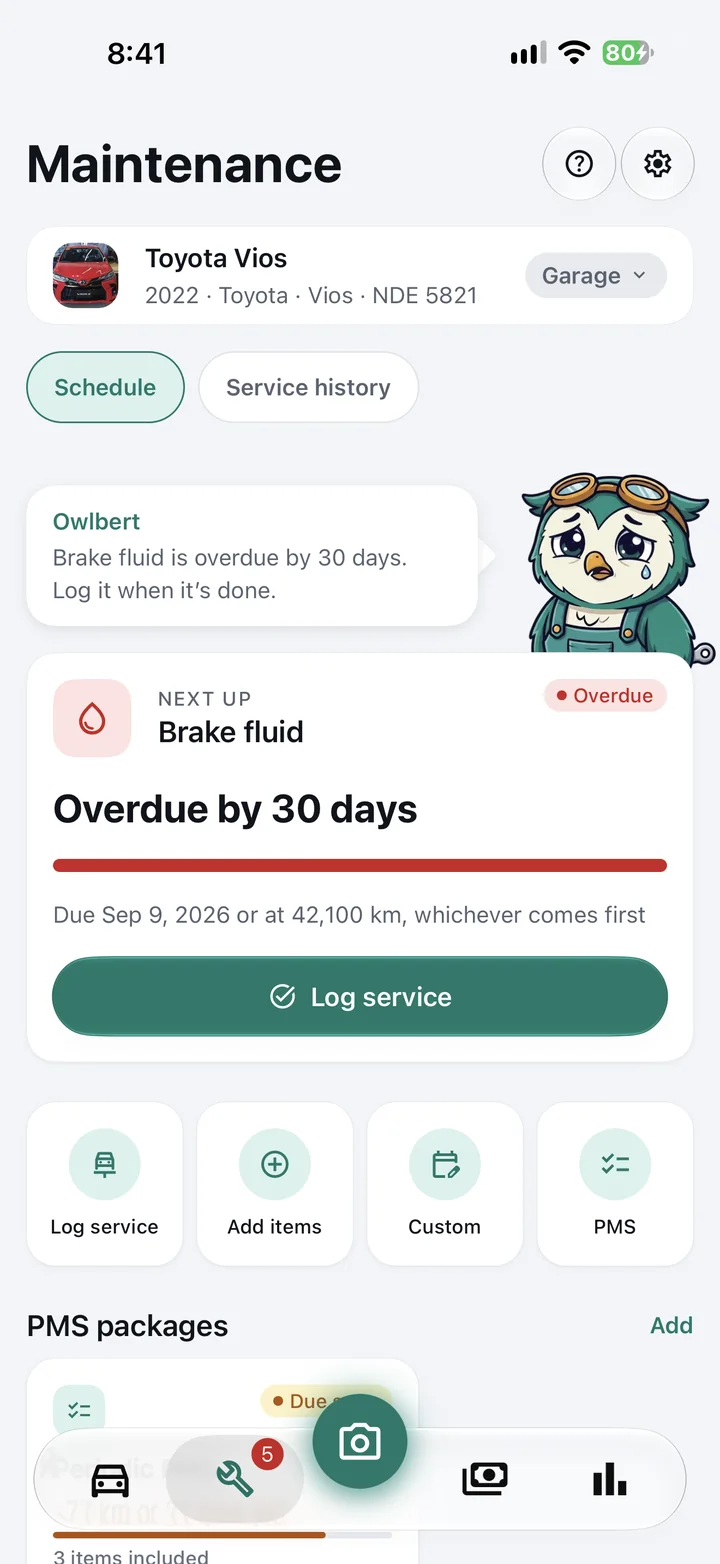
Maintenance tab for a 2022 Toyota Vios: Owlbert says the brake fluid is overdue by 30 days, above the Next up card with a Log service button.

02 Reminders

A nudge before every PMS, right on your Lock Screen.

CarMind reminds you a little before each item is due, by date or by kilometers, whichever comes first. It keeps reminding you if a service slips past due, and renewal reminders for your OR/CR and license (every paper with Pro) arrive 30 and 7 days ahead. Reminders are scheduled on your phone, so they arrive even when you’re offline.

  • Choose the time of day reminders arrive
  • Home Screen widgets for PMS, spending and budget
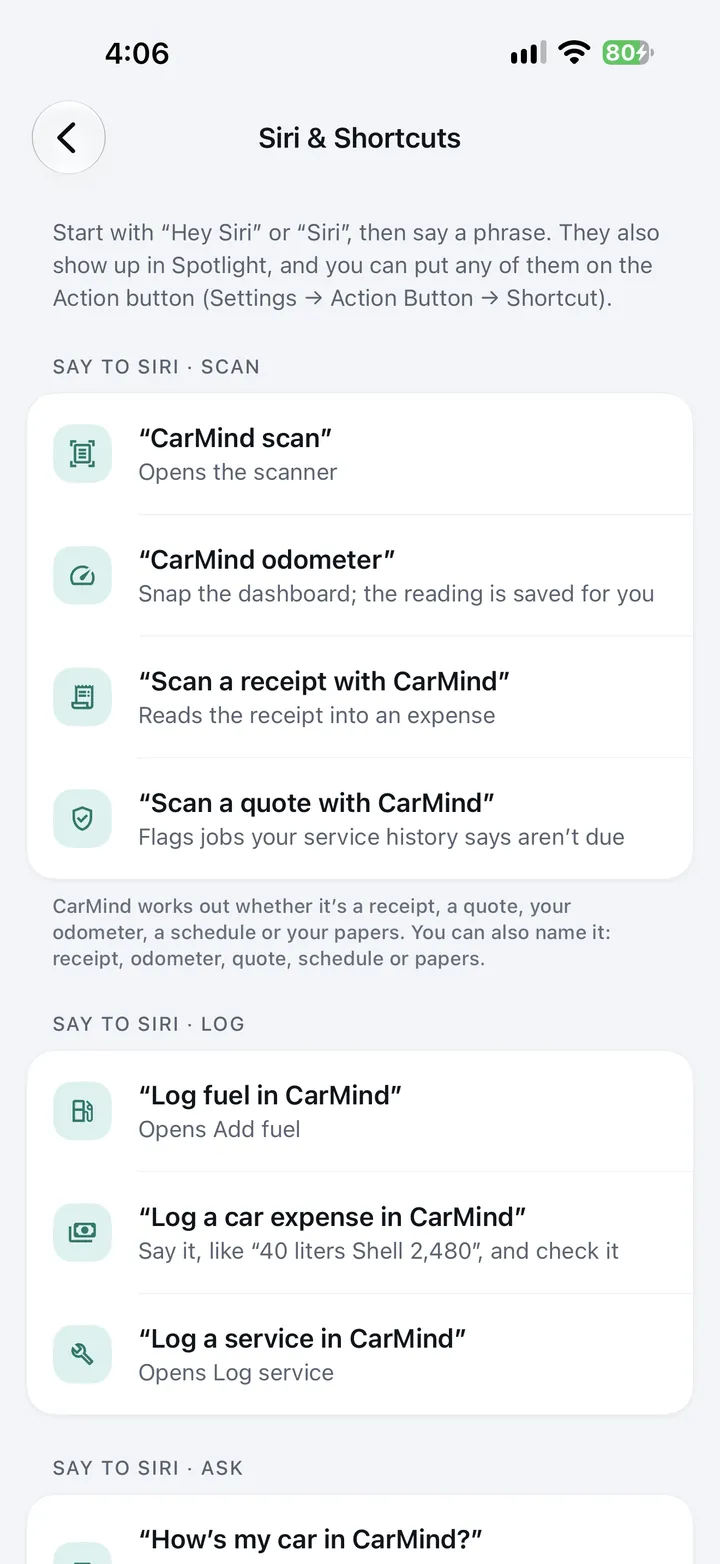
  • Log fuel by voice with Siri, Google Assistant or Gemini
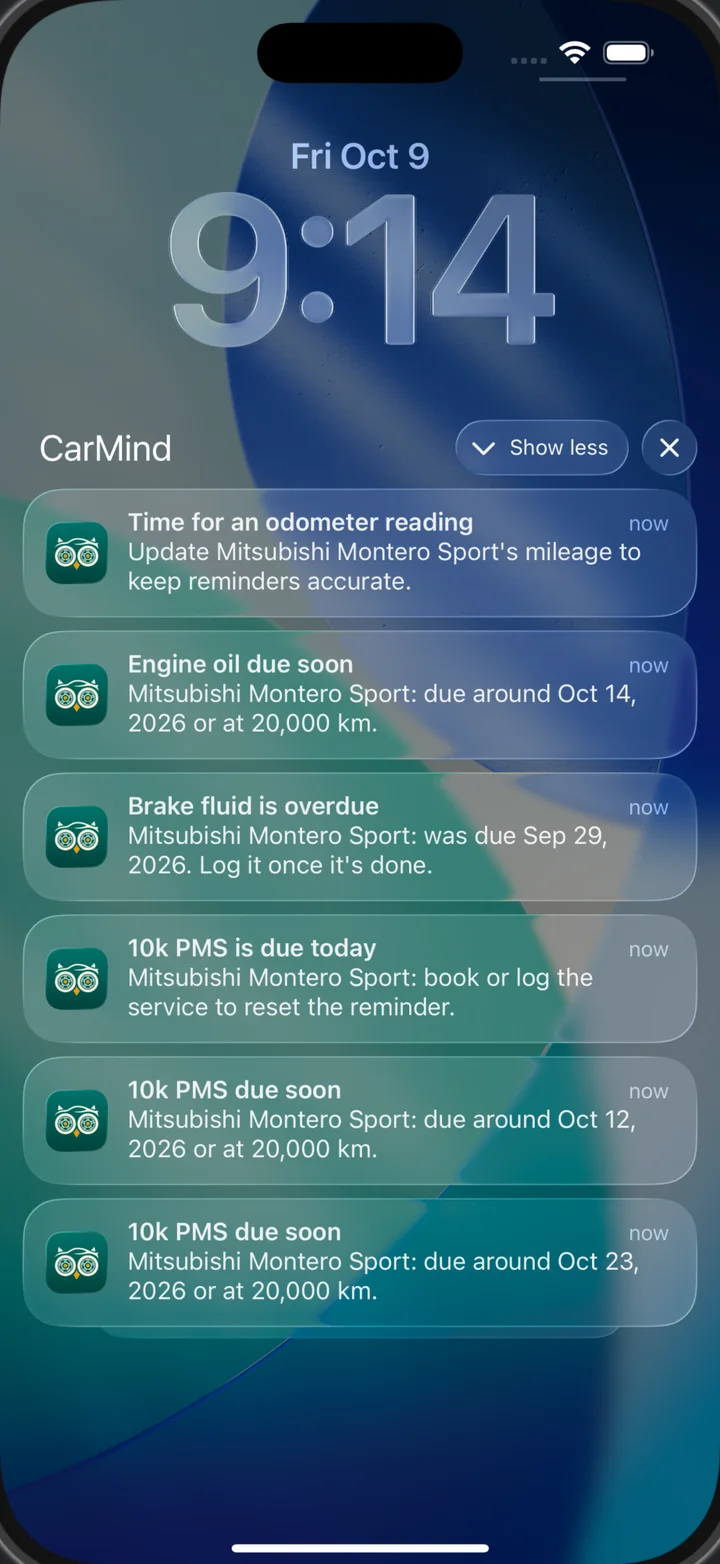
CarMind reminders on the Lock Screen for a Mitsubishi Montero Sport: time for an odometer reading, engine oil due soon, brake fluid overdue, and the 10k PMS due today.
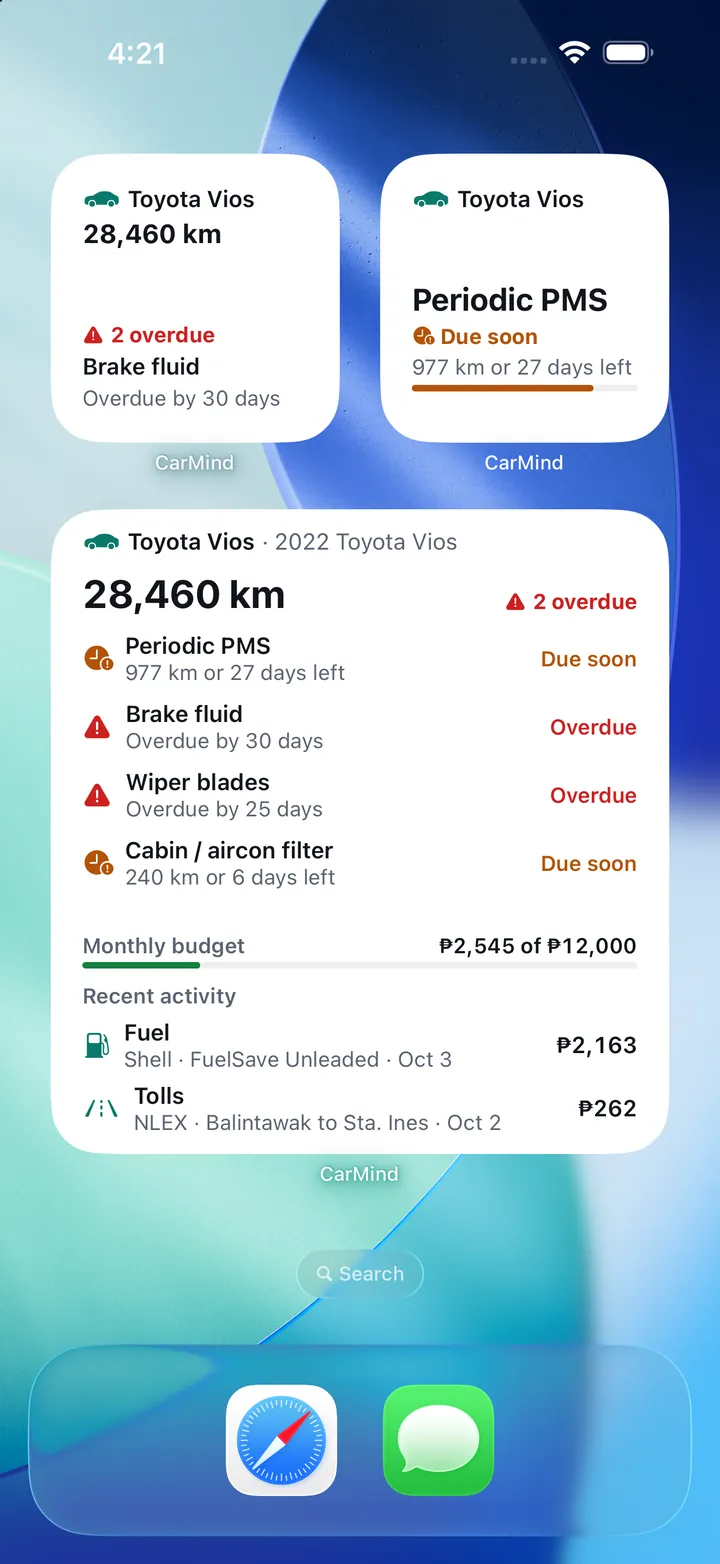
CarMind Home Screen widgets for a Toyota Vios at 28,460 km: brake fluid overdue, the periodic PMS due in 977 km or 27 days, and a large widget with every item due, the ₱2,545 of ₱12,000 monthly budget and recent fuel and toll expenses.

03 Expenses and fuel

See what your car really costs.

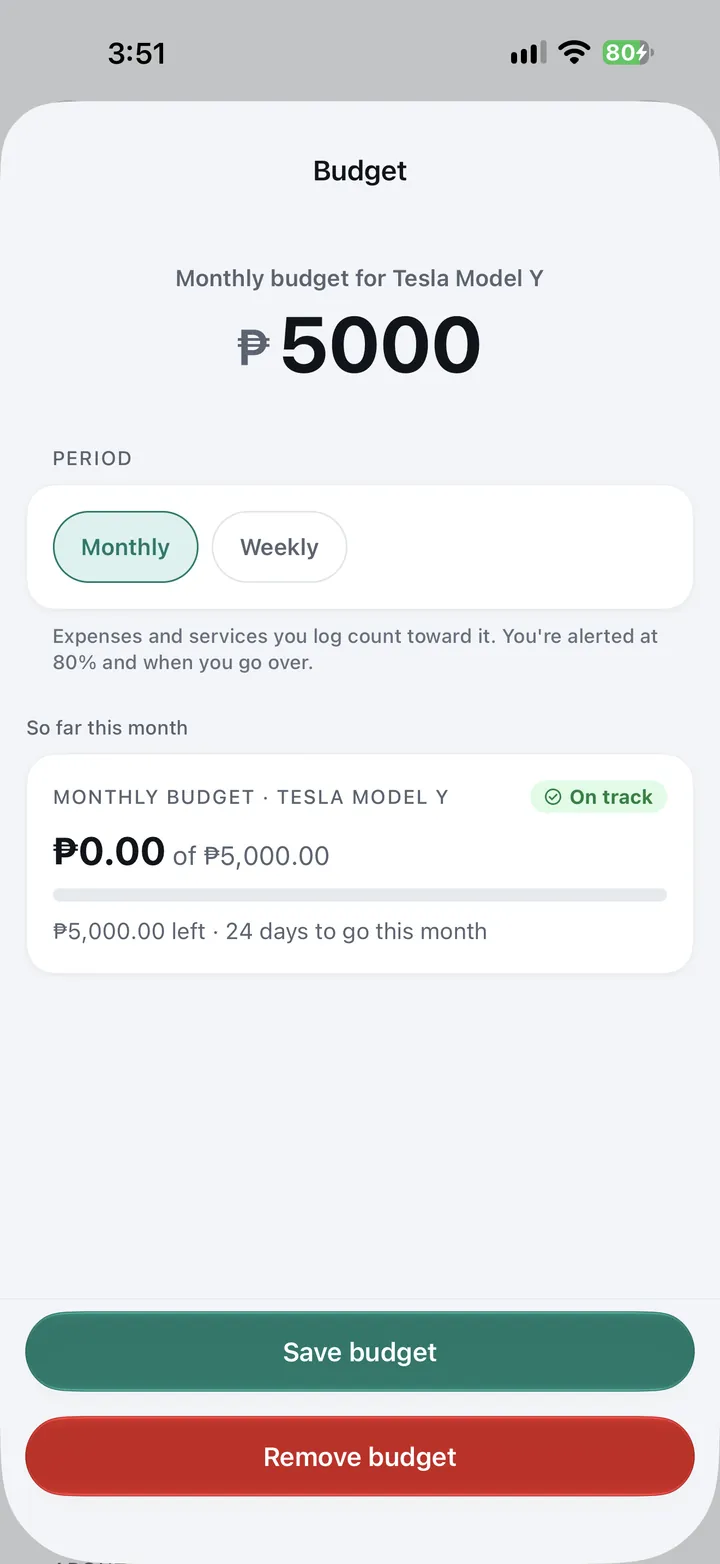
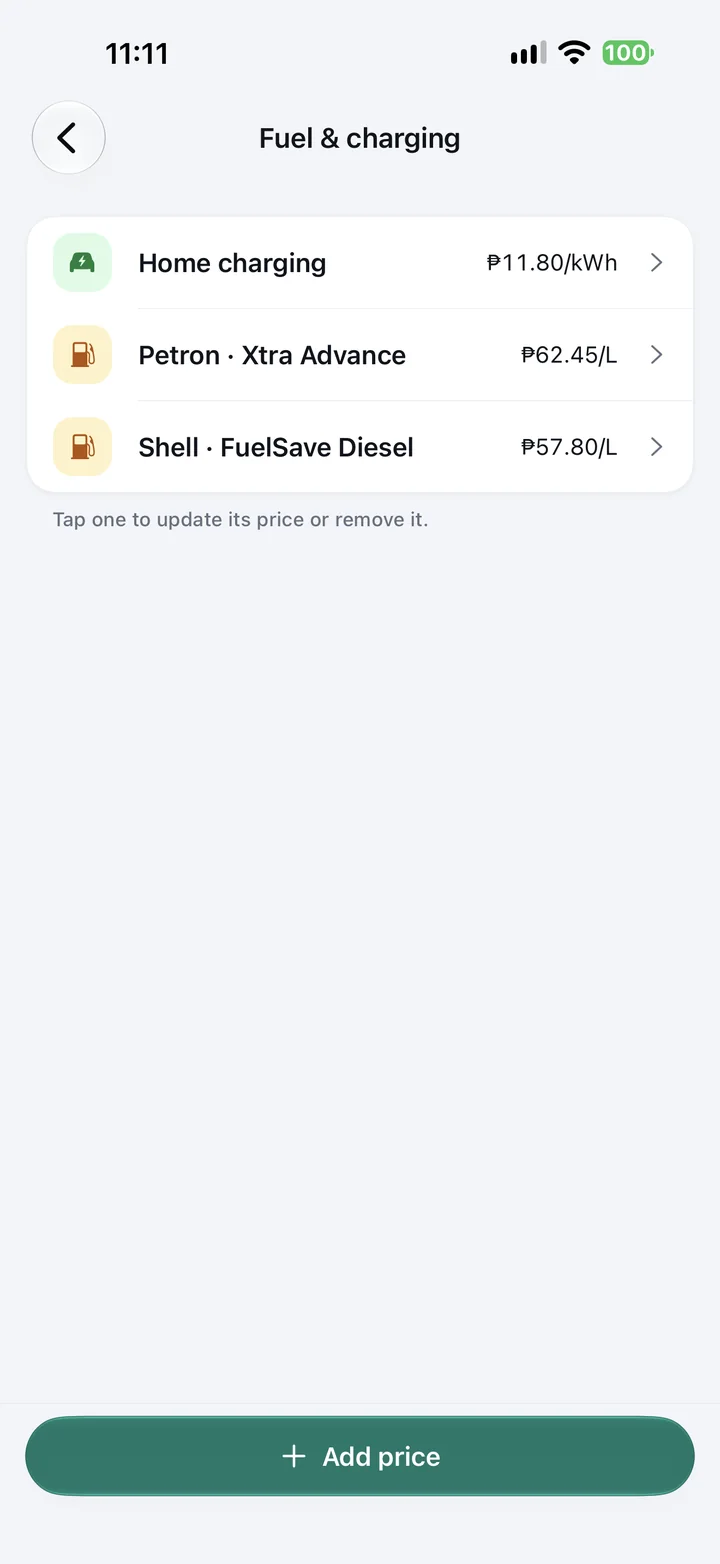
Fuel, parking, tolls, insurance, registration and repairs, logged in a few taps with the category suggested for you. Saved fuel prices, or your home charging rate per kWh, fill in the total. Set a weekly or monthly budget for each vehicle and CarMind warns you before you go over.

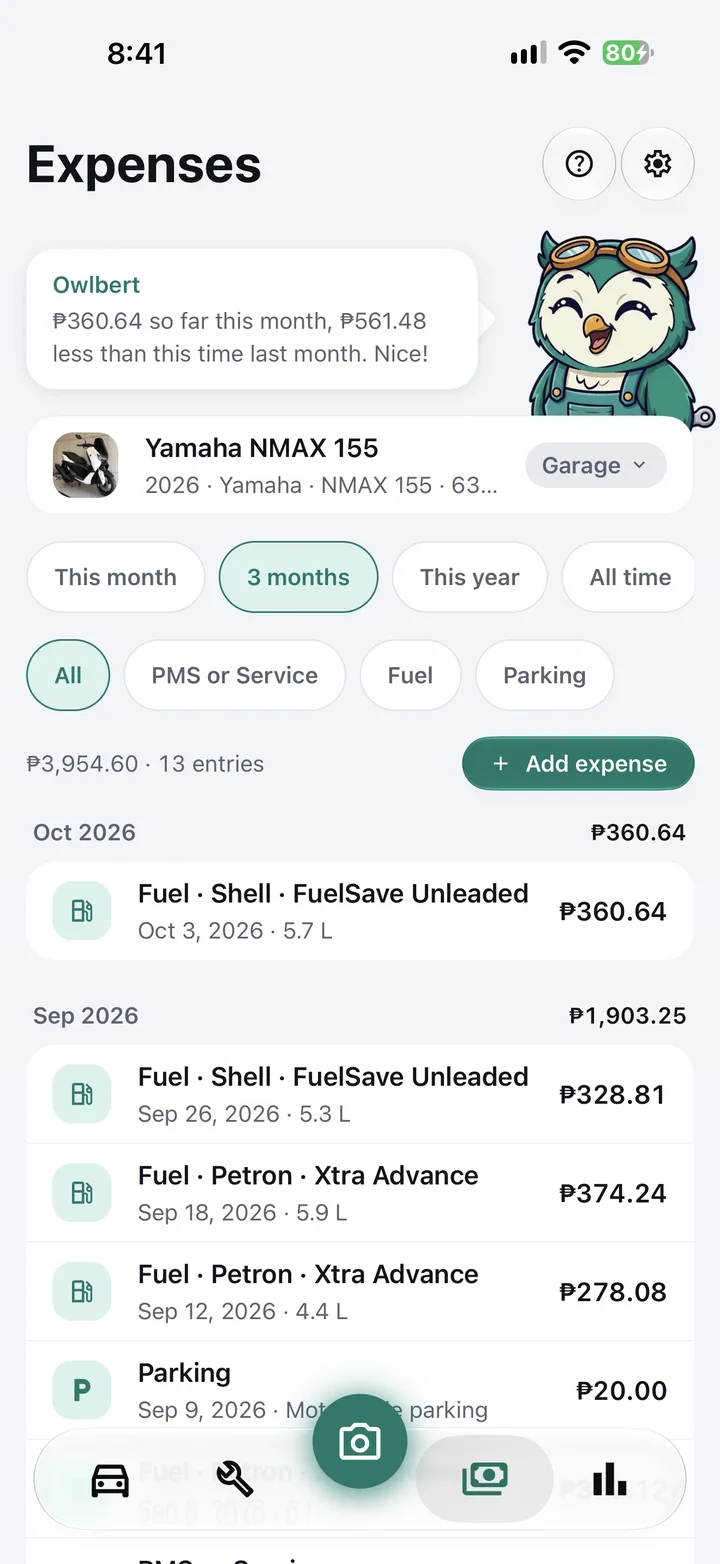
Expenses tab for a Yamaha NMAX 155: Owlbert notes ₱360.64 so far this month, ₱561.48 less than last month, above ₱3,954.60 across 13 entries in three months.

04 Scan instead of typing

One camera for every piece of paper.

Point it at a gas receipt, a shop invoice, your dashboard odometer, a maintenance schedule or your car papers. CarMind works out what it’s looking at, finds the store, total and liters, and saves it for you. Hold up a mechanic’s quote and it checks each job against your own service history.

Read on your iPhone with Apple’s on-device text recognition. Photos are never uploaded.

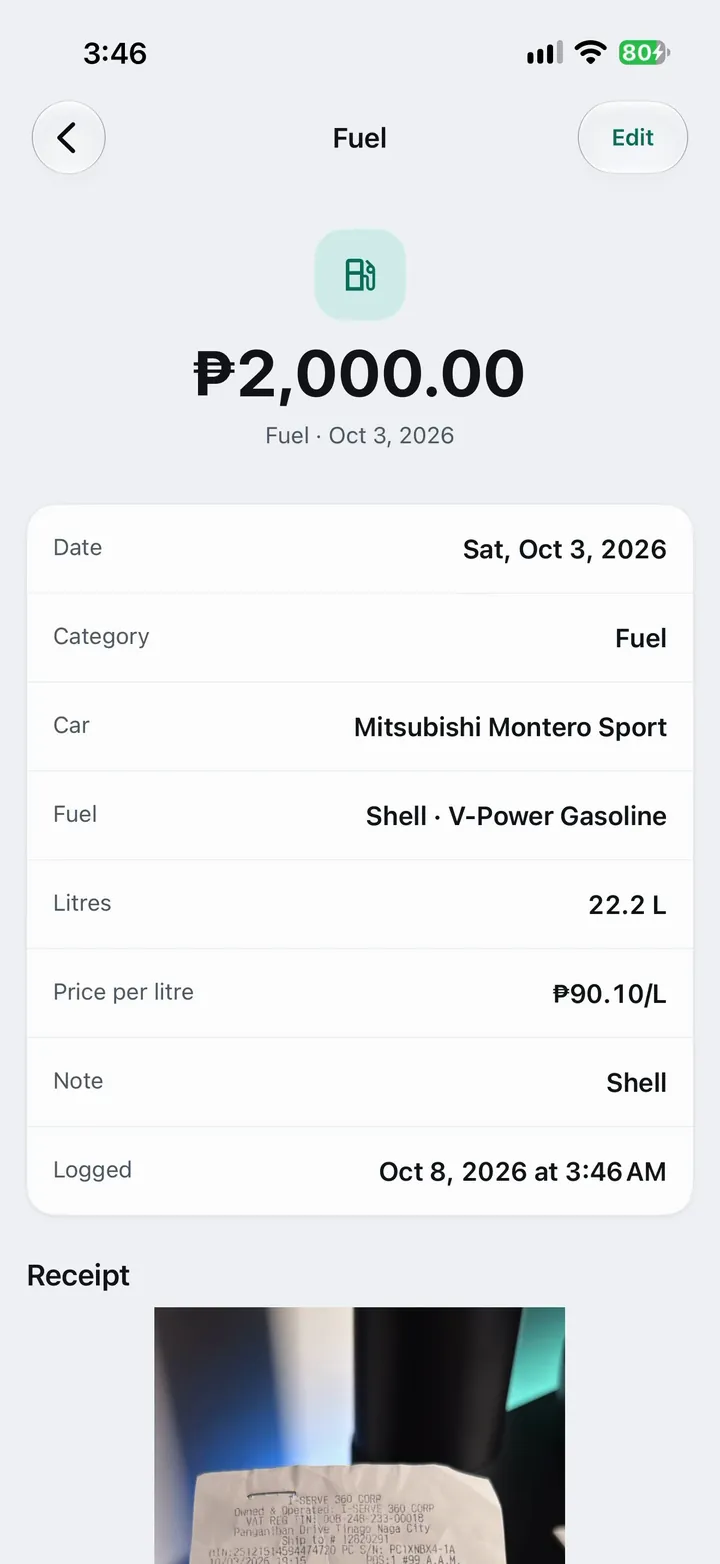
A ₱2,000 fuel expense read from a receipt: Shell V-Power Gasoline, 22.2 litres at ₱90.10 per litre, with the receipt photo attached.

05 Service history

Proof of every visit, for warranty and resale.

Log a visit with the shop, the parts and labor, and what it covered. Logging a PMS resets every item it covers, so the next reminder starts from the right place. Your history stays in date order, ready to show a dealer, an insurer or the next owner, or to export as a PDF with Pro.

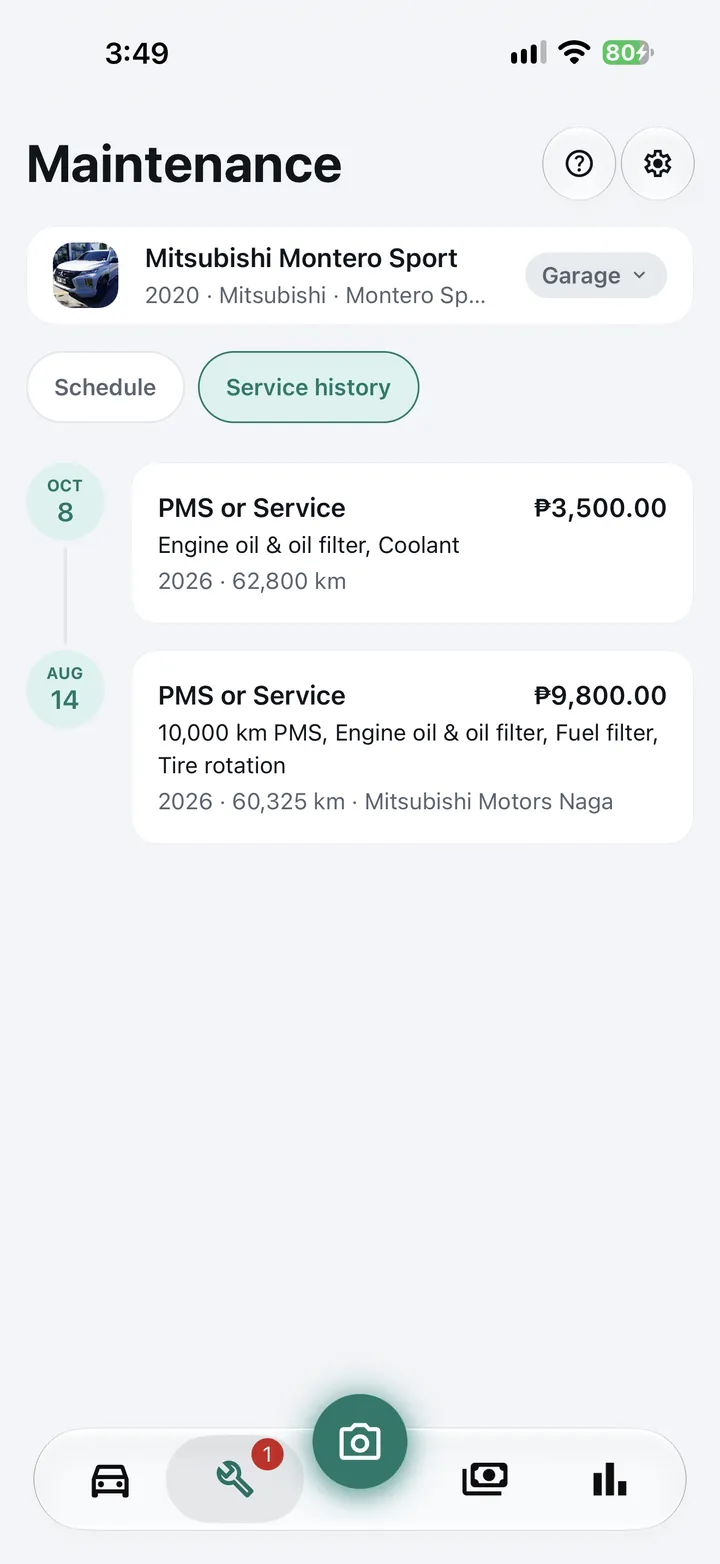
Service history: a ₱3,500 oil and coolant service on Oct 8 at 62,800 km, and a ₱9,800 10,000 km PMS on Aug 14 at Mitsubishi Motors Naga.

06 Reports

Know your cost per km, not a guess.

Total spend, cost per kilometer, spending by category and month, fuel economy and your largest costs, for this month, three months, the year or all time. Insights point out what changed, like spending less than last month or paying more per litre. Compare every vehicle in the garage side by side to see which one really costs the most to run.

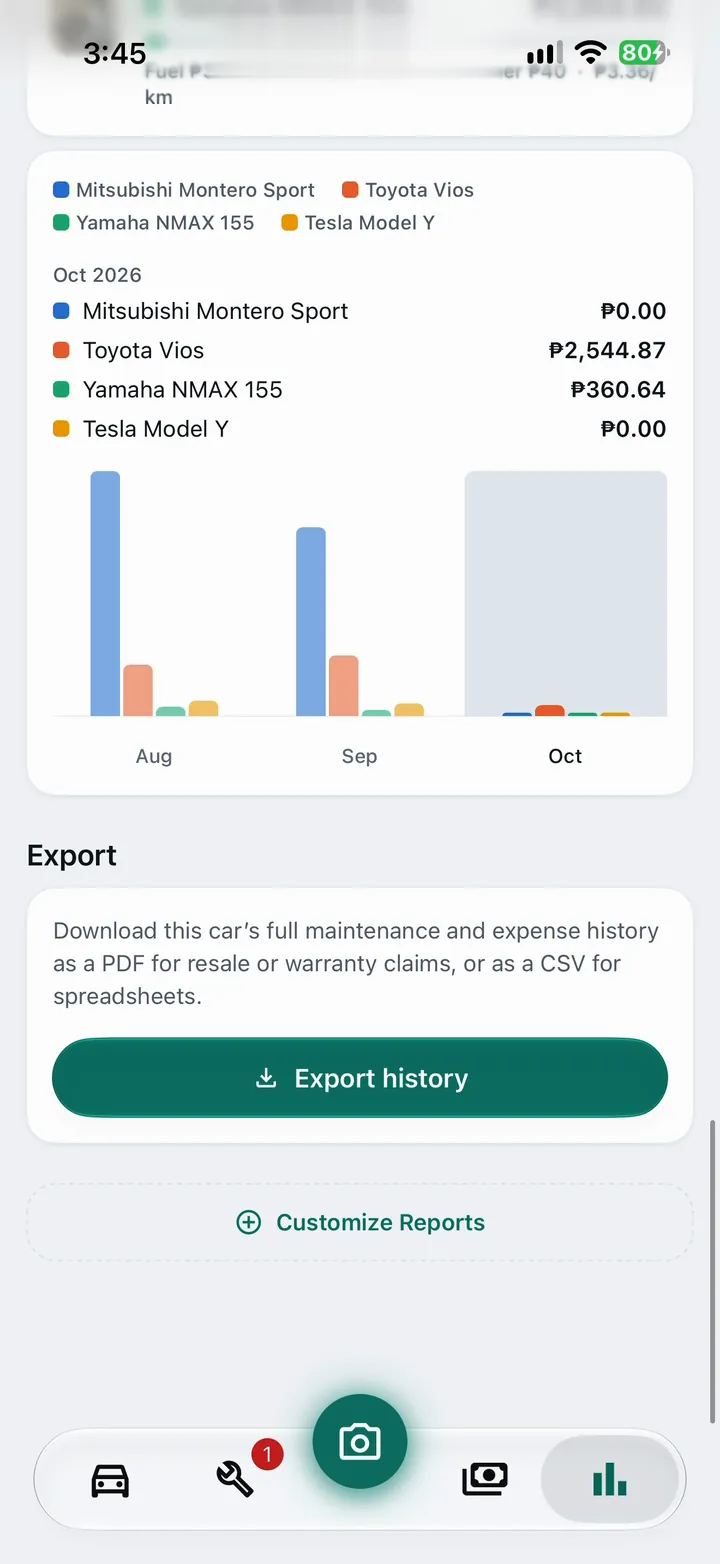
Reports comparing four vehicles month by month, with Export history for a PDF or CSV.

07 Car loan

Know what’s left on your car loan.

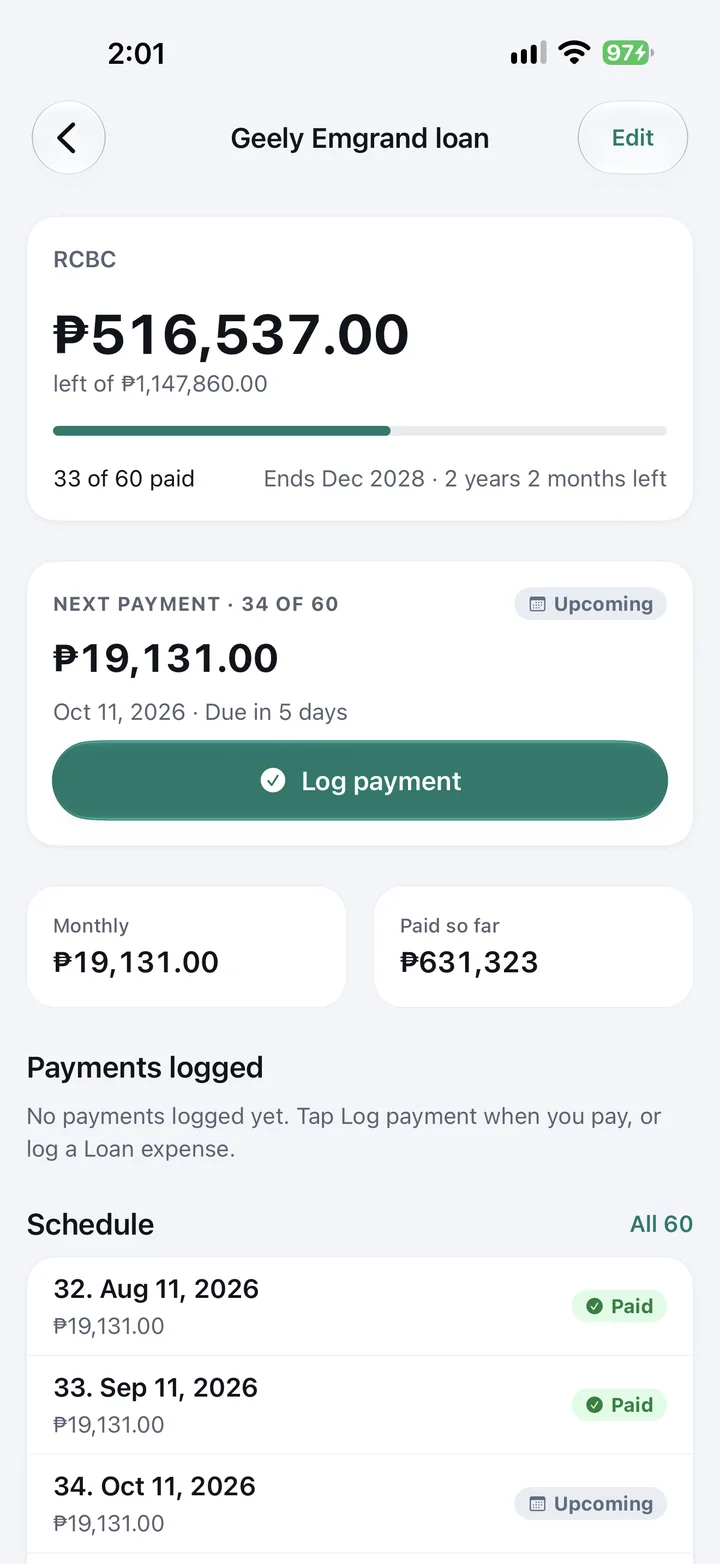
Still paying off the car? Add the loan from your lender’s amortization schedule: the monthly amount, the term, when it started and your last payment. CarMind works out how many payments are done, how many are left, the balance and the month it ends.

  • Reminders before each payment, on the due date, and if it’s overdue
  • Log a payment in one tap; it counts toward your car’s spending
  • Your next payment on Home: upcoming, due or overdue, with the full schedule a tap away

Pro The car loan tracker is included with CarMind Pro.

Car loan tracker: ₱516,537 left of ₱1,147,860 with RCBC, 33 of 60 payments made, ending December 2028, and the next ₱19,131 payment due October 11 with a Log payment button.

09 Getting started

Set up in a minute. Useful for years.

  1. Step01

    Add your car

    Make, model and current odometer. It takes about a minute, and you don’t need an account.

  2. Step02

    Choose what to track

    Pick suggested items such as oil, tires and brake fluid, or load your dealer’s PMS package with its intervals.

  3. Step03

    Log as you go

    Snap a receipt after you gas up or leave the shop. CarMind updates your history, spending and odometer for you.

  4. Step04

    Get reminded in time

    By date or by kilometers, whichever comes first. Reminders work offline, straight from your phone.

10 Free and Pro

Free for one vehicle. Pro for the whole garage.

Free

Everything you need to look after one car or motorcycle.

  • One car or motorcycle, with full maintenance and PMS tracking
  • Reminders by date and kilometers
  • Expenses, fuel log and reports
  • Receipt, invoice and odometer scanning
  • Widgets, plus Siri, Google Assistant and Gemini voice shortcuts
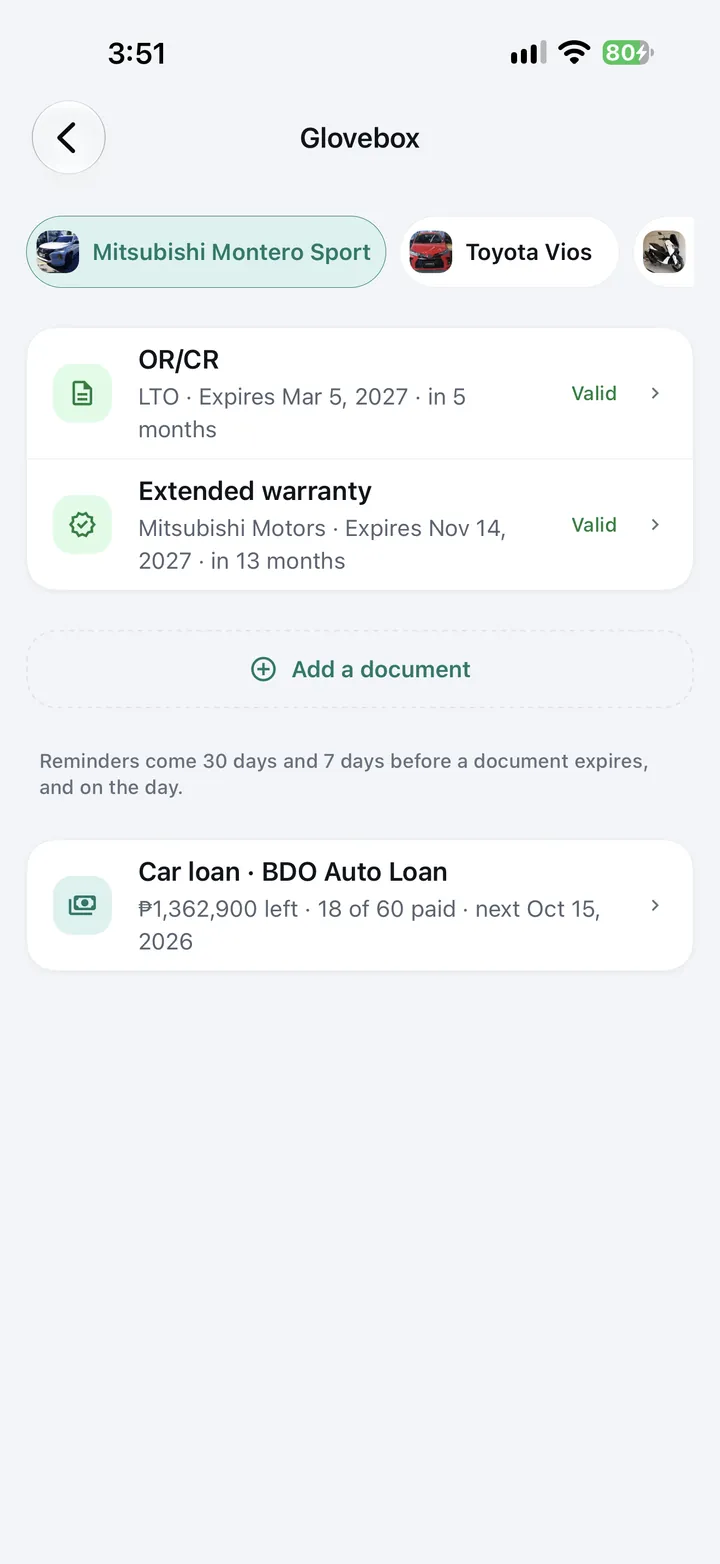
  • Glovebox for your OR/CR and driver’s license, with expiry reminders
  • Ask Owlbert, your AI mechanic, 10 questions a day

Includes ads.

CarMind Pro

For families, enthusiasts and anyone with more than one vehicle.

  • Everything in Free
  • Owlbert, your AI mechanic, with no daily limit
  • Unlimited cars, EVs and motorcycles
  • Every paper in the Glovebox: insurance, emission test, warranty and more
  • Car loan tracker with payment reminders
  • Cloud backup and sync with your account
  • PDF service history and CSV cost export
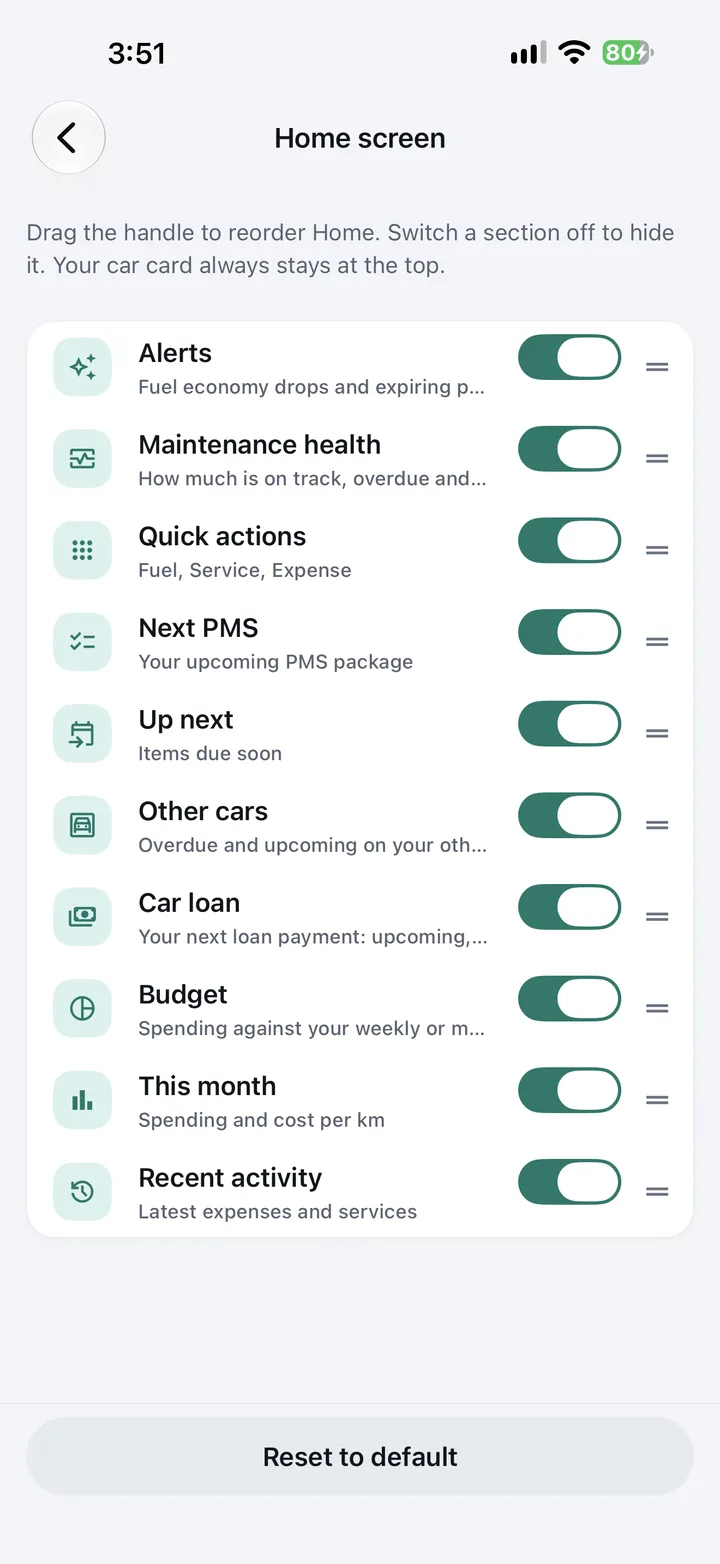
  • Your own Home and Reports layout
  • No ads

Starts with a 14-day free trial. Plans and prices in your currency are shown in the app before you subscribe.

Your car’s records stay yours.

No account needed. Scans are read on your phone and reminders are scheduled there too. Cloud backup only happens if you turn it on. CarMind AI receives only what it needs to answer you, and we never sell your data. Read the Privacy Policy

11 Feedback

Help us make CarMind better.

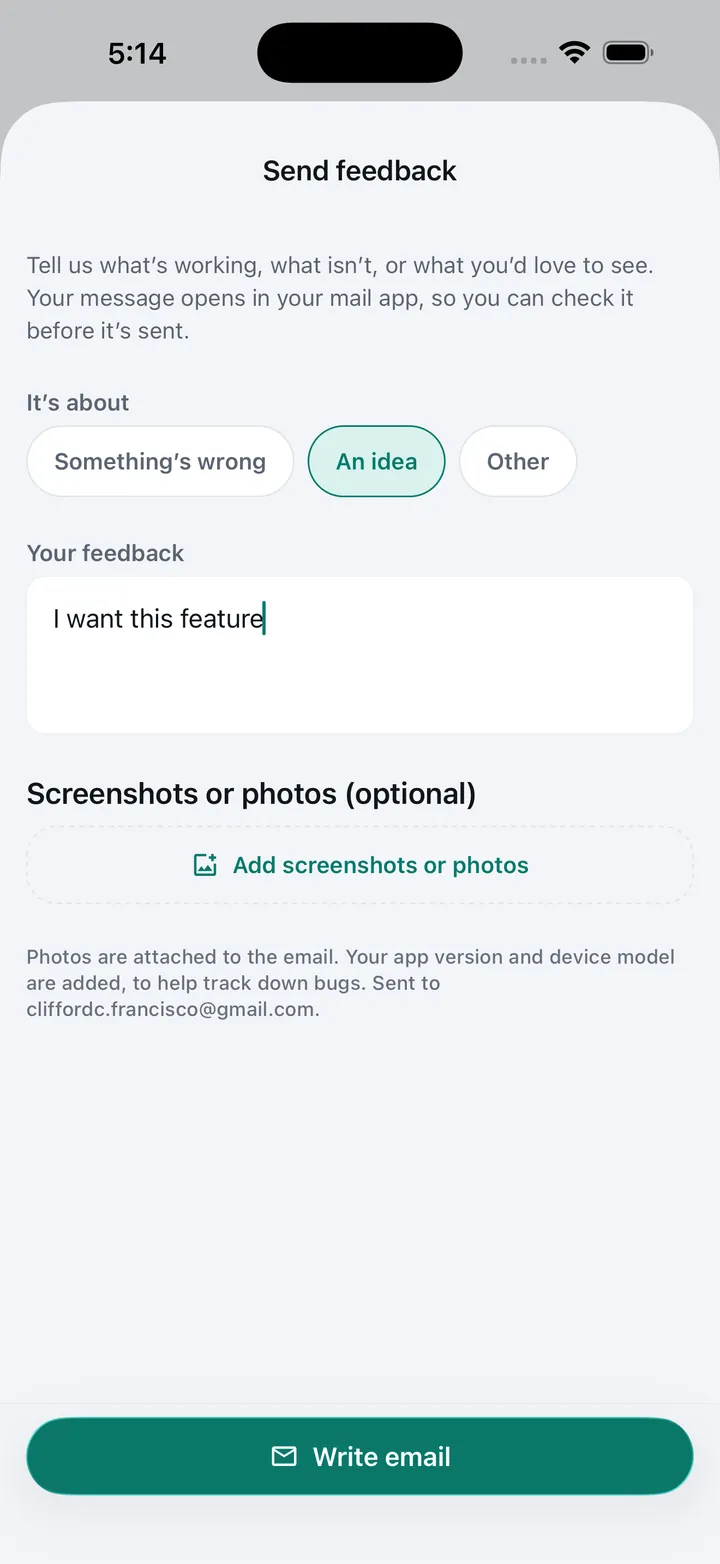
CarMind grows with the owners who use it. Tell us what’s working, what isn’t, or what you’d love to see, and add screenshots or photos if they help. We read every message, and we’re open to any feedback that makes CarMind better.

In the app, open Settings and tap Send feedback, or email us.

Send feedback in CarMind: choose whether it’s something wrong, an idea or other, write your feedback, and add screenshots or photos before writing the email.

12 Questions

Before you download.

Something else? Visit Support.

Do I need an account?

No. CarMind works fully on your phone without signing up. An account is only needed for Pro cloud backup and sync.

How do PMS reminders work?

Each maintenance item has an interval in months, kilometers or both. CarMind estimates your odometer from your logs, works out the next due point, and sends a notification from your phone. It doesn’t need an internet connection, and it reminds you when your odometer reading is getting old.

Can I use my dealer’s PMS schedule?

Yes. Pick a PMS package, or scan the printed maintenance schedule from your owner’s manual or the dealer, and CarMind sets up the items and intervals.

Are my receipts uploaded anywhere?

No. Receipts, invoices and odometer photos are read on your phone, with Apple’s text recognition on iPhone and Google’s on-device ML Kit on Android. The photos stay on your phone.

What does CarMind Pro include?

Unlimited questions with Owlbert, your AI mechanic (10 a day on Free), unlimited vehicles, every paper in the Glovebox (your OR/CR and license are free), the car loan tracker, cloud backup and sync, PDF and CSV export, your own Home and Reports layout, and no ads. Pro starts with a 14-day free trial. Prices are shown in the app before you subscribe, and you can cancel any time in your iPhone’s Settings or in the Google Play Store.

Which currencies and units are supported?

Philippine peso, US dollar, euro, pound, Australian and Canadian dollar, Singapore dollar, yen and rupee, in kilometers or miles.

Will I get reminded even if I don’t open the app?

Yes. Reminders are scheduled on your phone, so they arrive on the Lock Screen by date or kilometers even when CarMind is closed or you’re offline. CarMind estimates your odometer from your logs between readings.

Can I track my car loan?

Yes, with Pro. Add the monthly amortization, term, start date and your last payment, and CarMind shows payments made, what’s left and when it ends. It reminds you before each due date, on the day and if a payment is overdue.

Does it work with my car or motorcycle?

Yes. CarMind supports cars and motorcycles from any brand. Pick from more than 80 car brands and nearly 30 motorcycle brands, over 900 models in all, or type your own. It works with gasoline, diesel, hybrid, plug-in hybrid, electric and LPG vehicles.


Beta Early access

Try CarMind early.

Join the beta on TestFlight for iPhone or Google Play for Android, free, and help shape CarMind before launch. Tell us what works and what doesn’t from Settings → Send feedback.

Owlbert giving a thumbs-up
  1. iPhone

    Join on TestFlight

    Open the invite on your iPhone, install Apple’s TestFlight app when it asks, then install CarMind. No invite request needed.

    Join on TestFlight
  2. Android · Step 01

    Request an invite

    Send us the Google account you use on your Android phone. We’ll add you and reply, usually within a day.

    Request an invite
  3. Android · Step 02

    Install

    Once we’ve added you, open CarMind on Google Play with that same Google account and install it. On a computer, join on the web instead, then install from Google Play on your phone.

Free to try. Leave any time: in the TestFlight app on iPhone, or from the web testing page on Android.

Owlbert smiling

Give your car the memory it deserves.

Add your car, EV or motorcycle in a minute and let CarMind remember the rest.